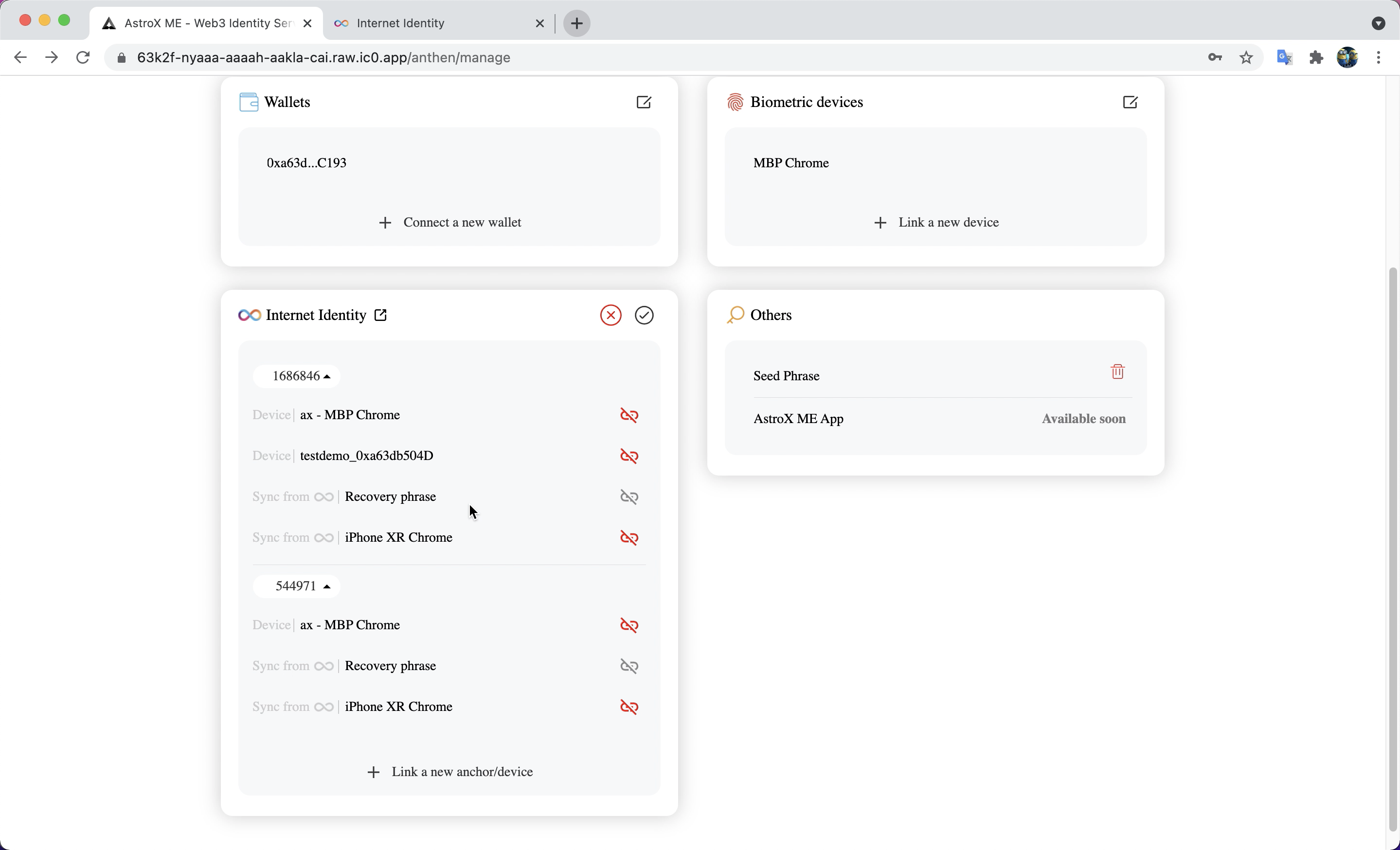
Link Internet Identity Anchors
We are thrilled to introduce you to one of ME ID's most important features: Linking Internet Identity Anchors (II anchors). That means you can manage all your II anchors with just one ME ID. Furthermore, you can select any one II anchors to log in to other DApps supporting ME ID.
Link II Anchors
STEP 1: Click 'Link a new Anchor/device' button. 🔗
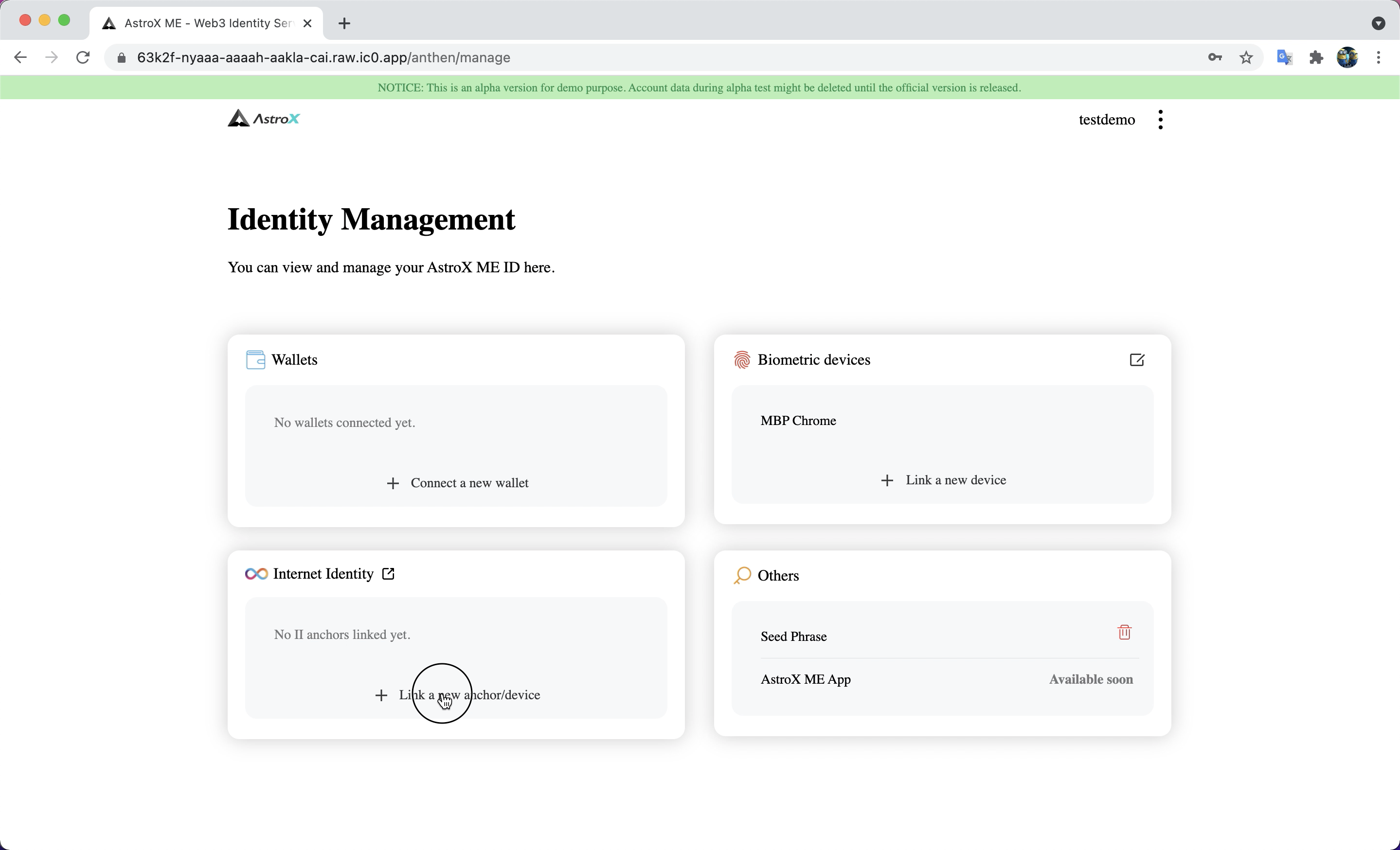
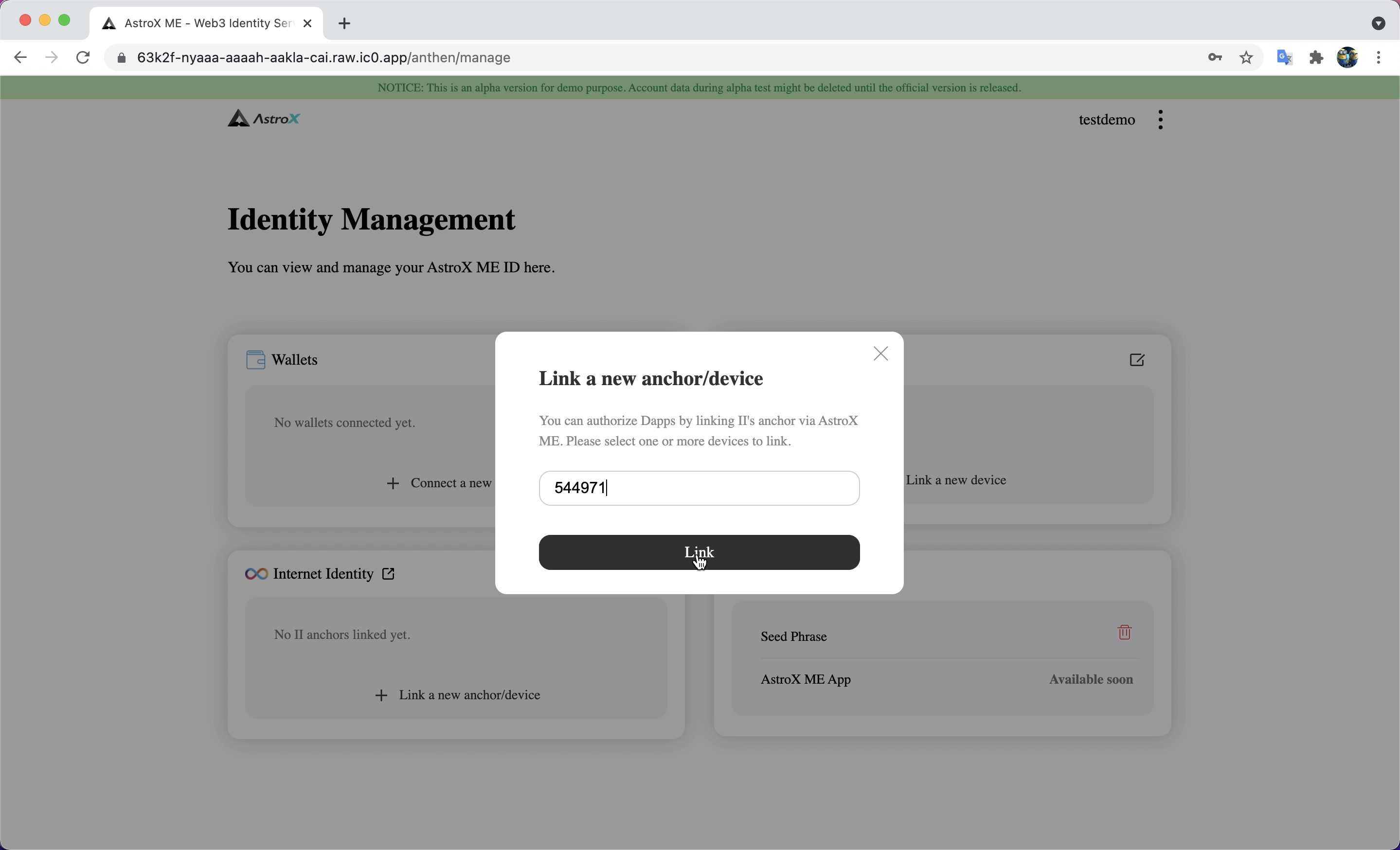
STEP 2: Enter your II anchor. ♾️
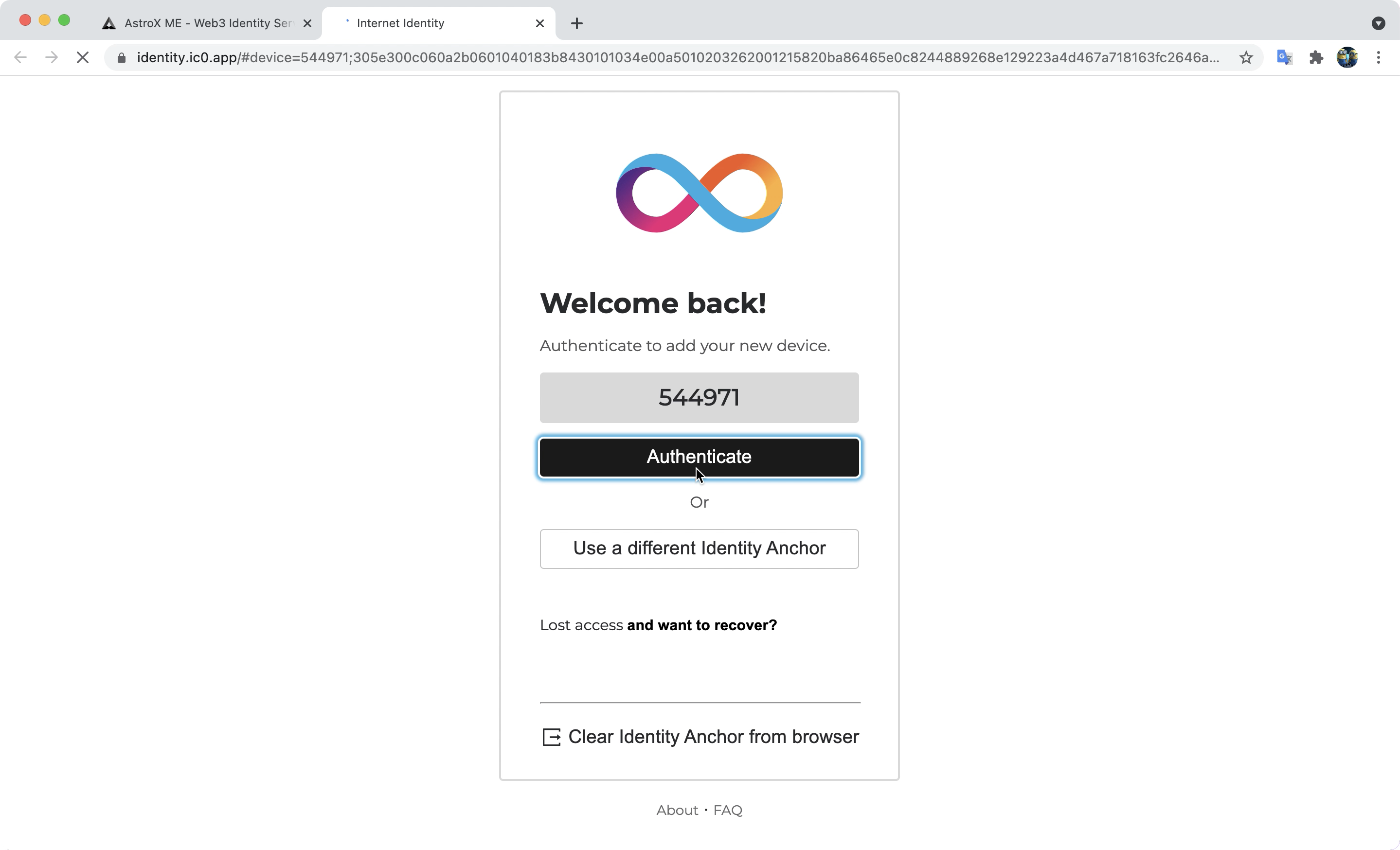
STEP 3: Log in to your II anchor and add a device name. ♾️
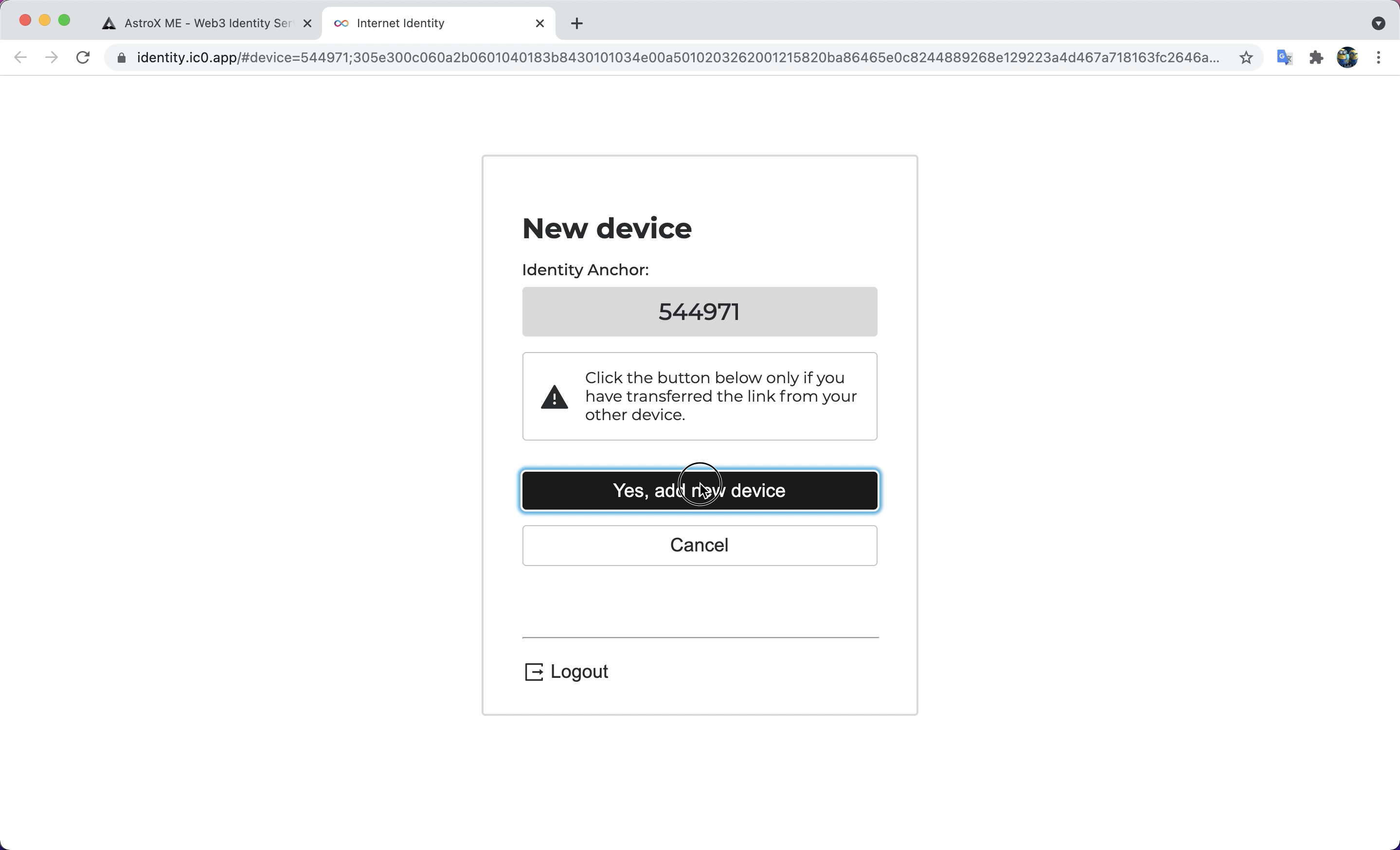
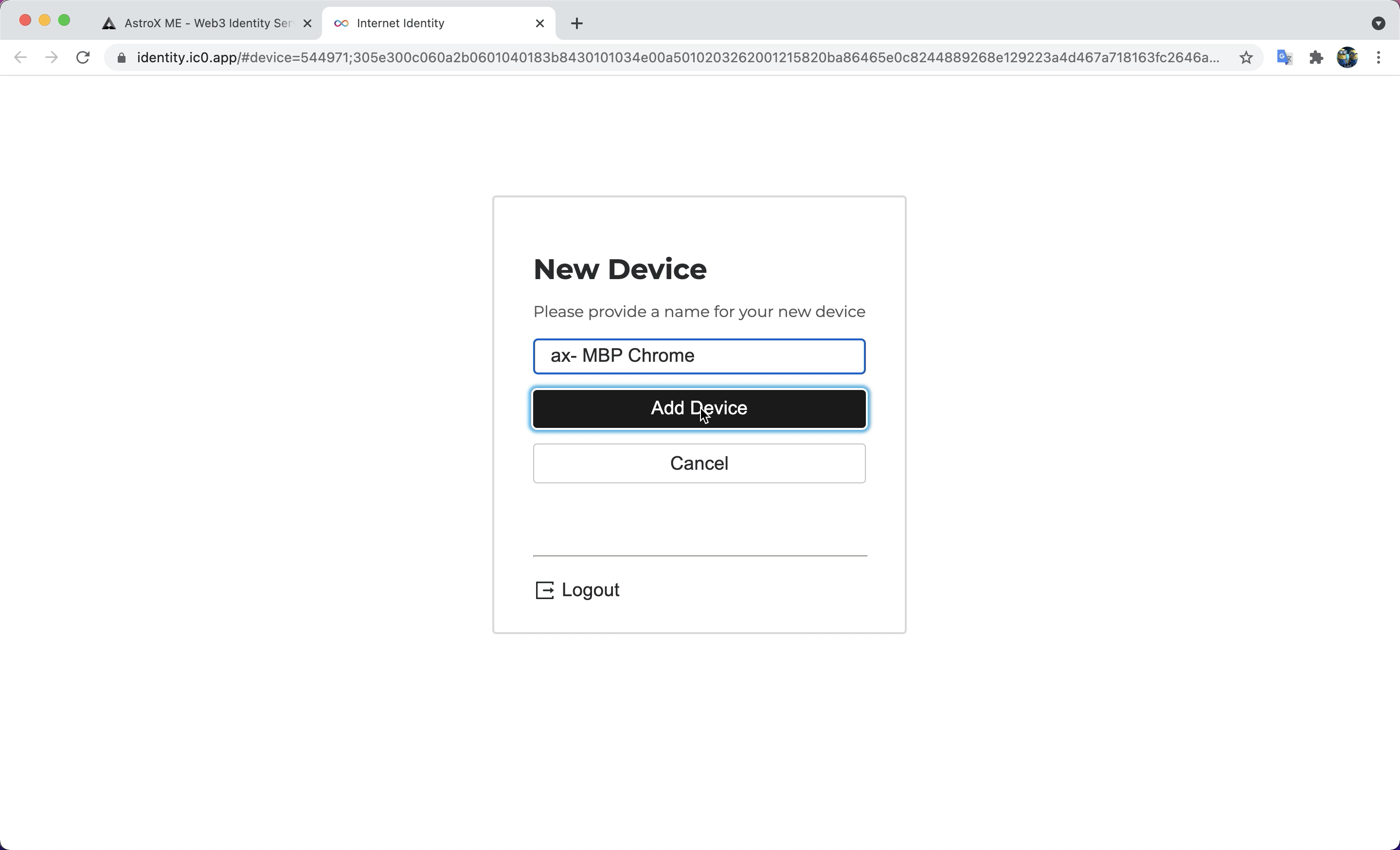
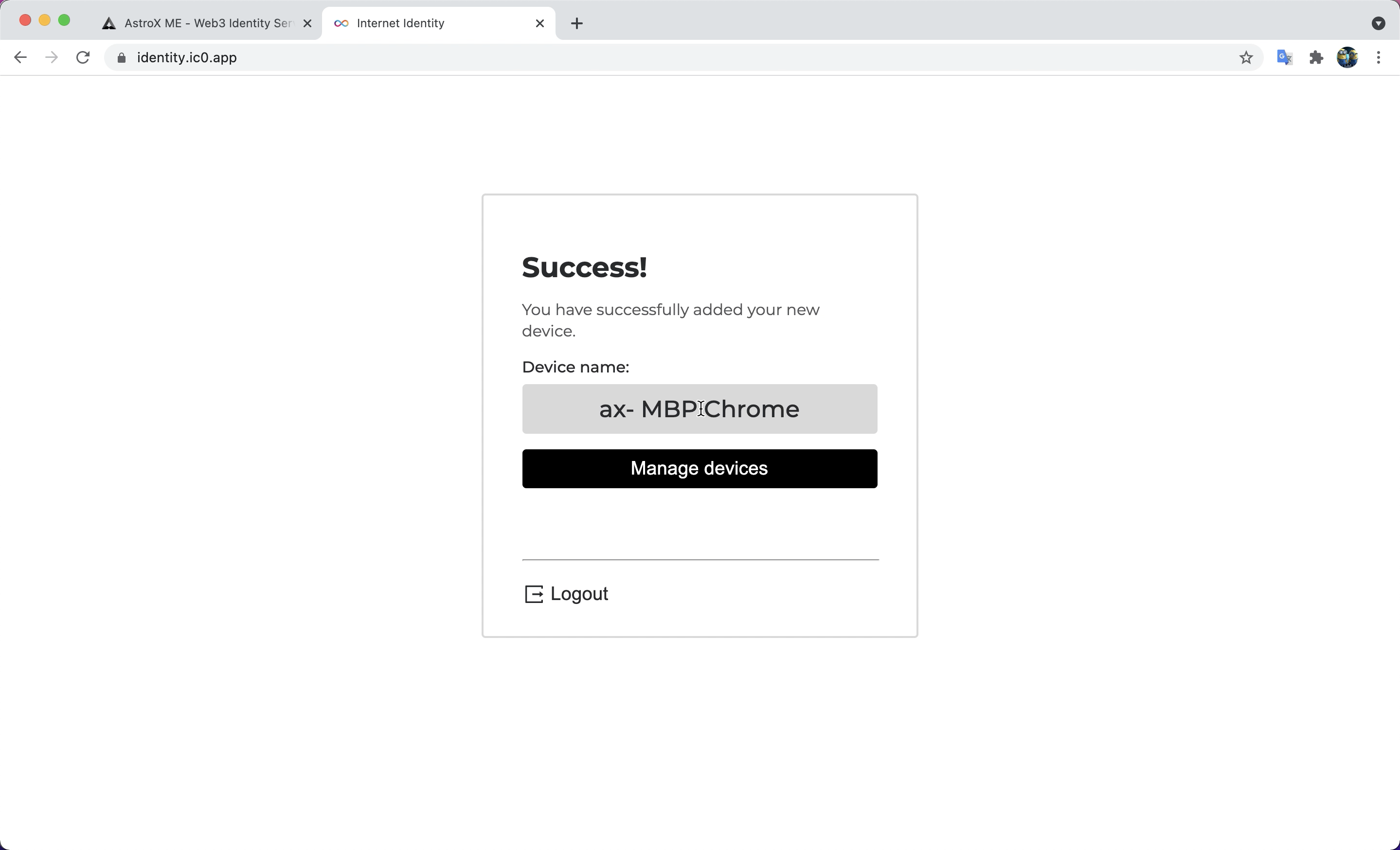
STEP 4: Head back to the ME ID website. ⚙️
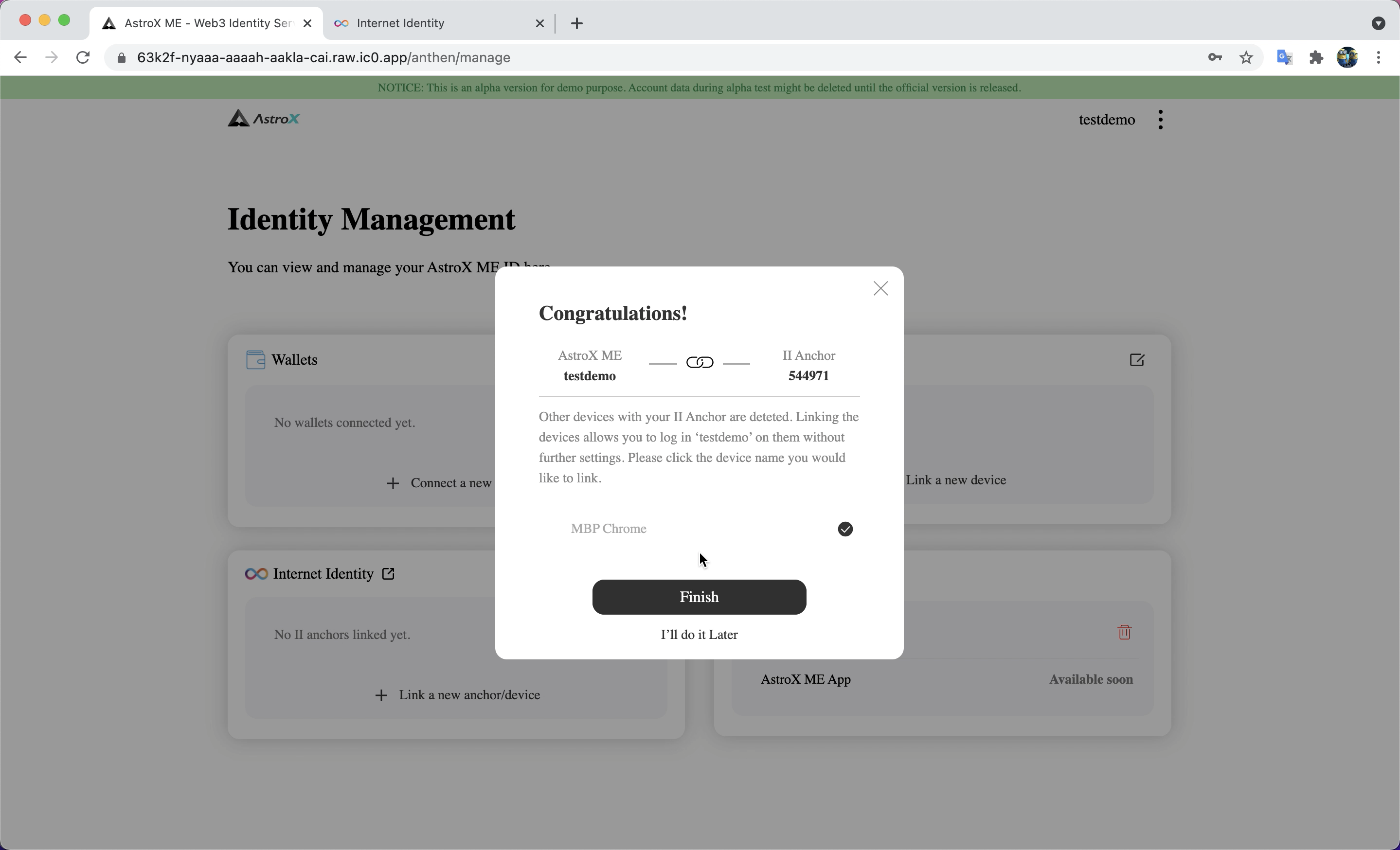
STEP 5: Voilà! 🎉
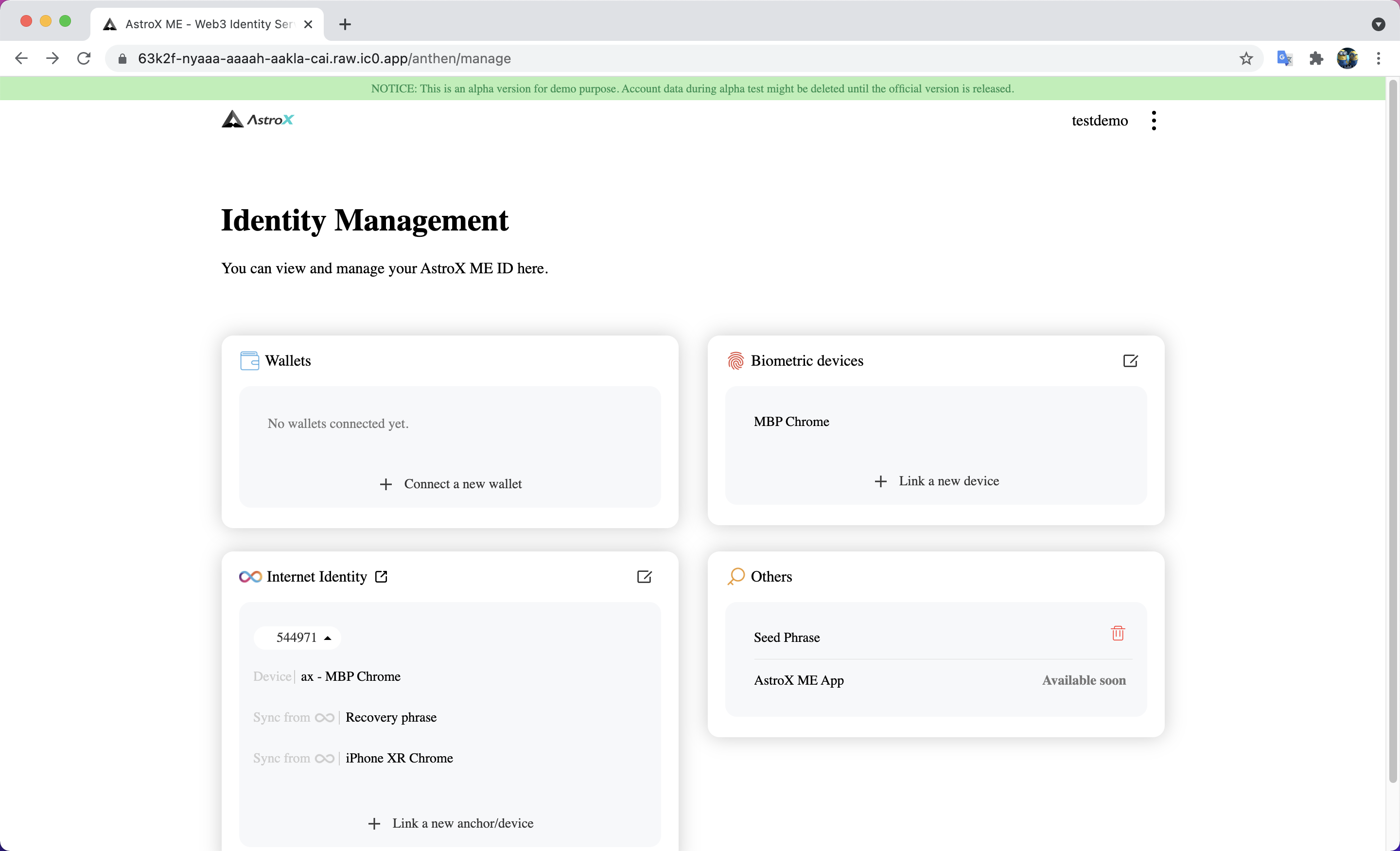
Add other devices /wallets to linked II Anchor
STEP 1: Click 'Link a new anchor/device' button. 🔗
STEP 2: Enter your II anchor. ♾️
STEP 3: Select the device you want to link. 💻
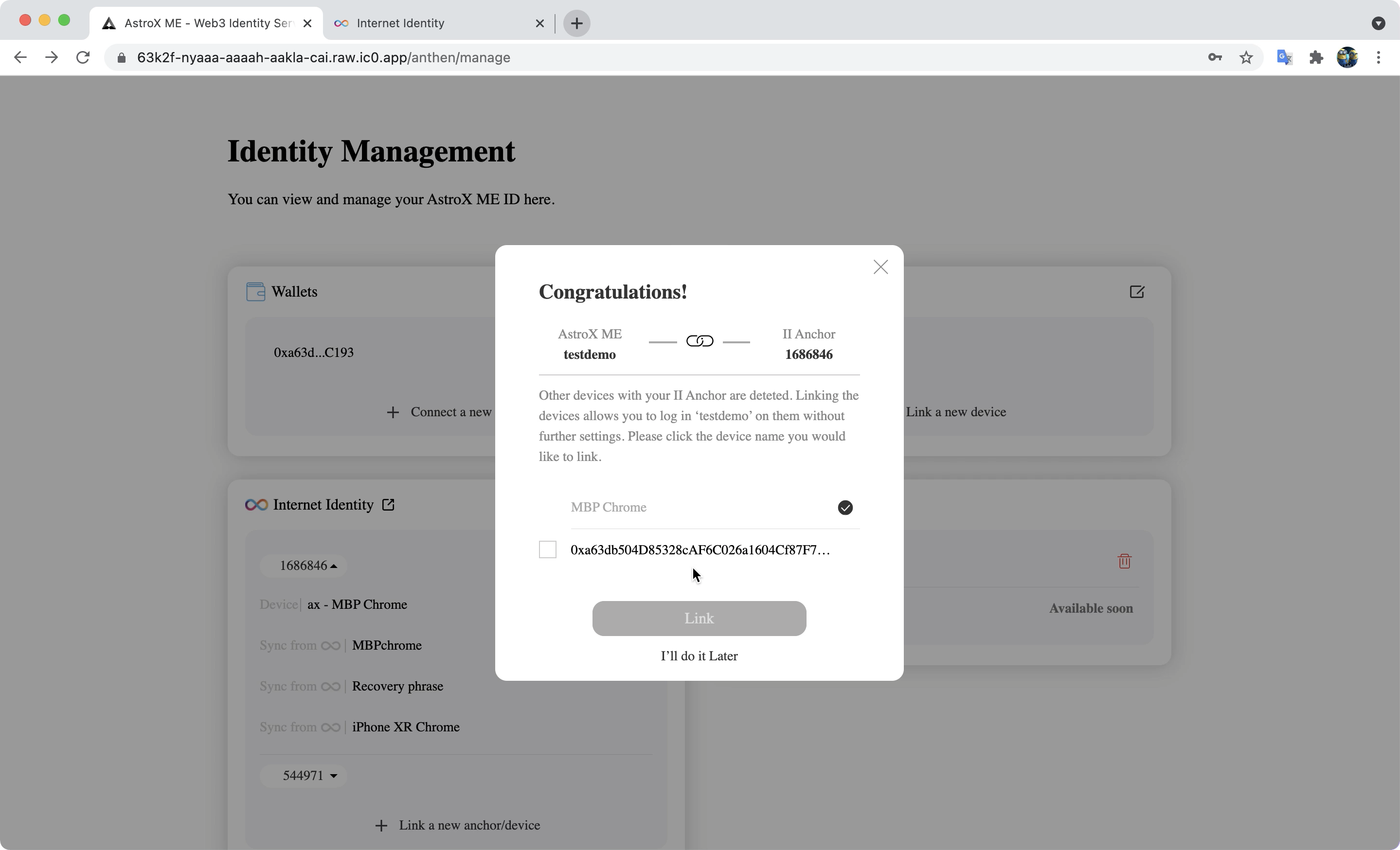
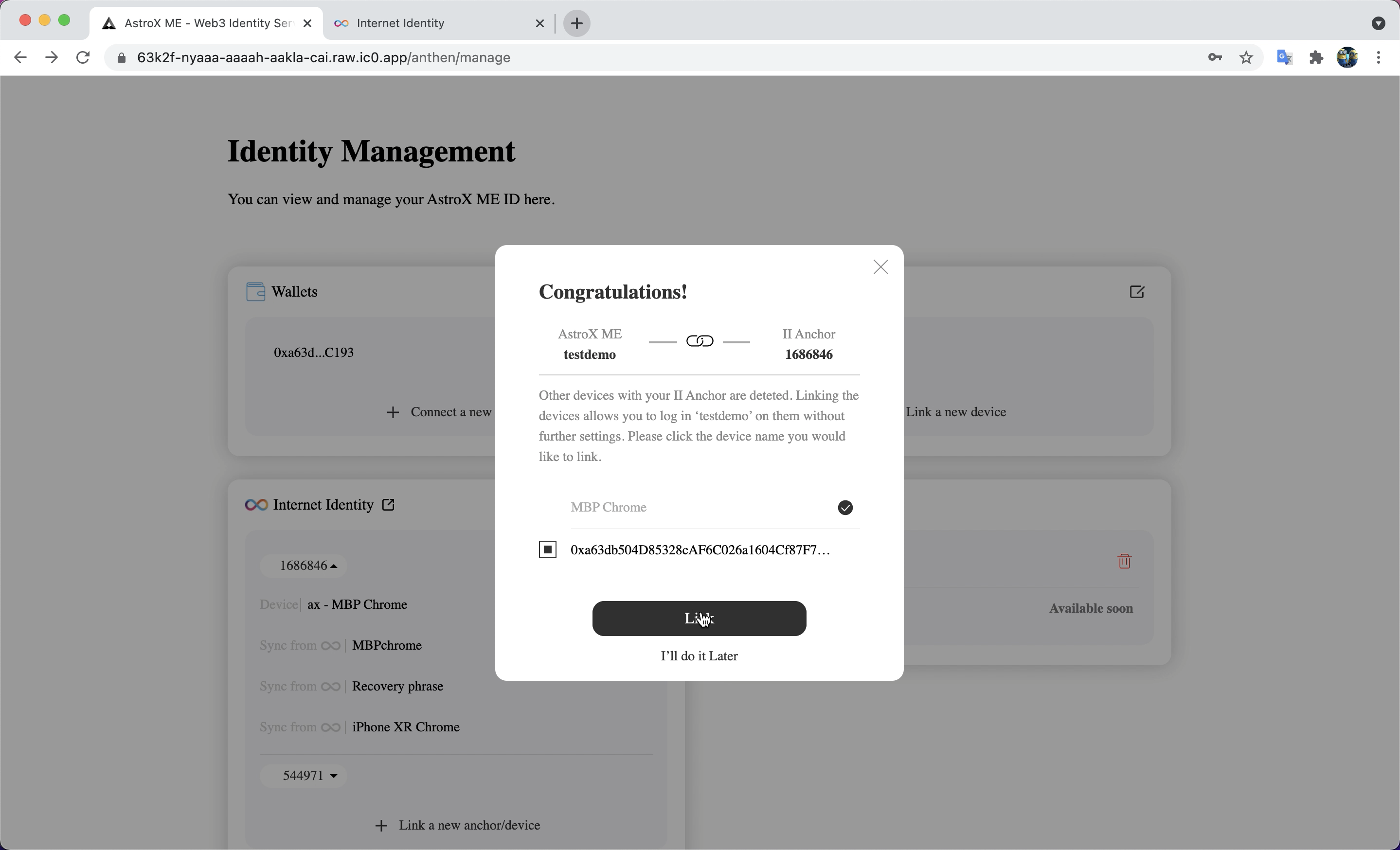
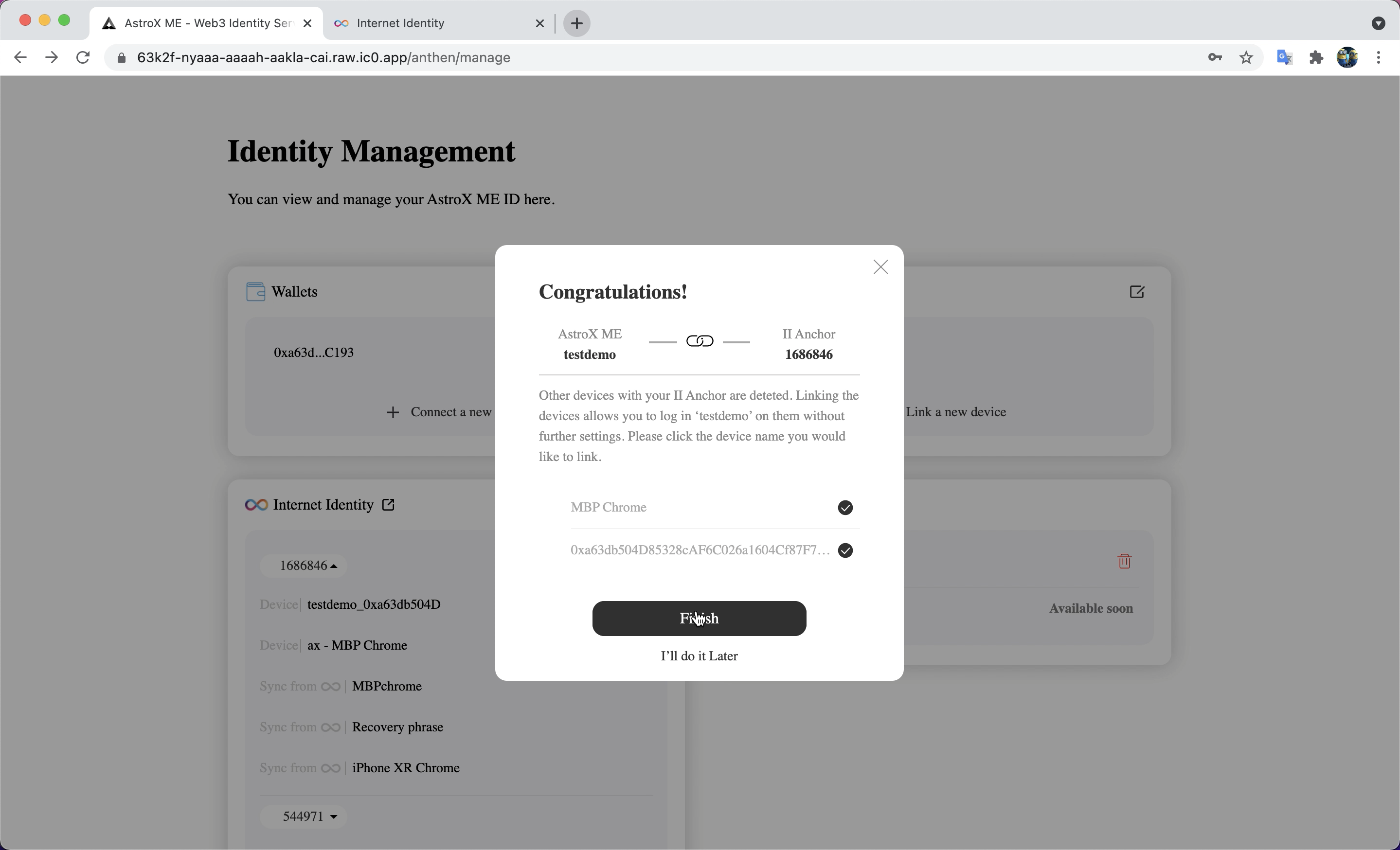
STEP 4: Voilà 🎉
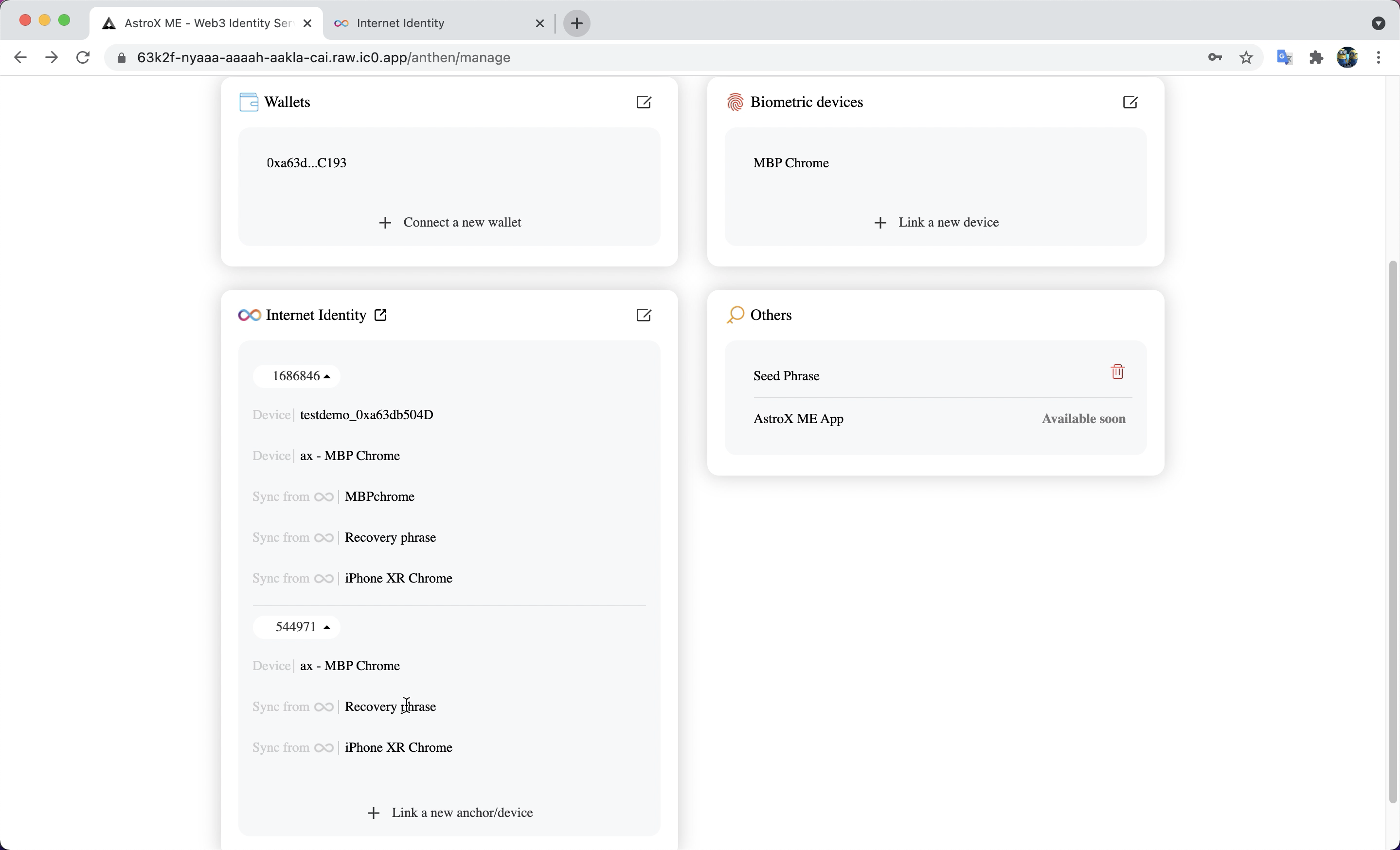
Unlink II devices
STEP 1: Click the 'edit' button.
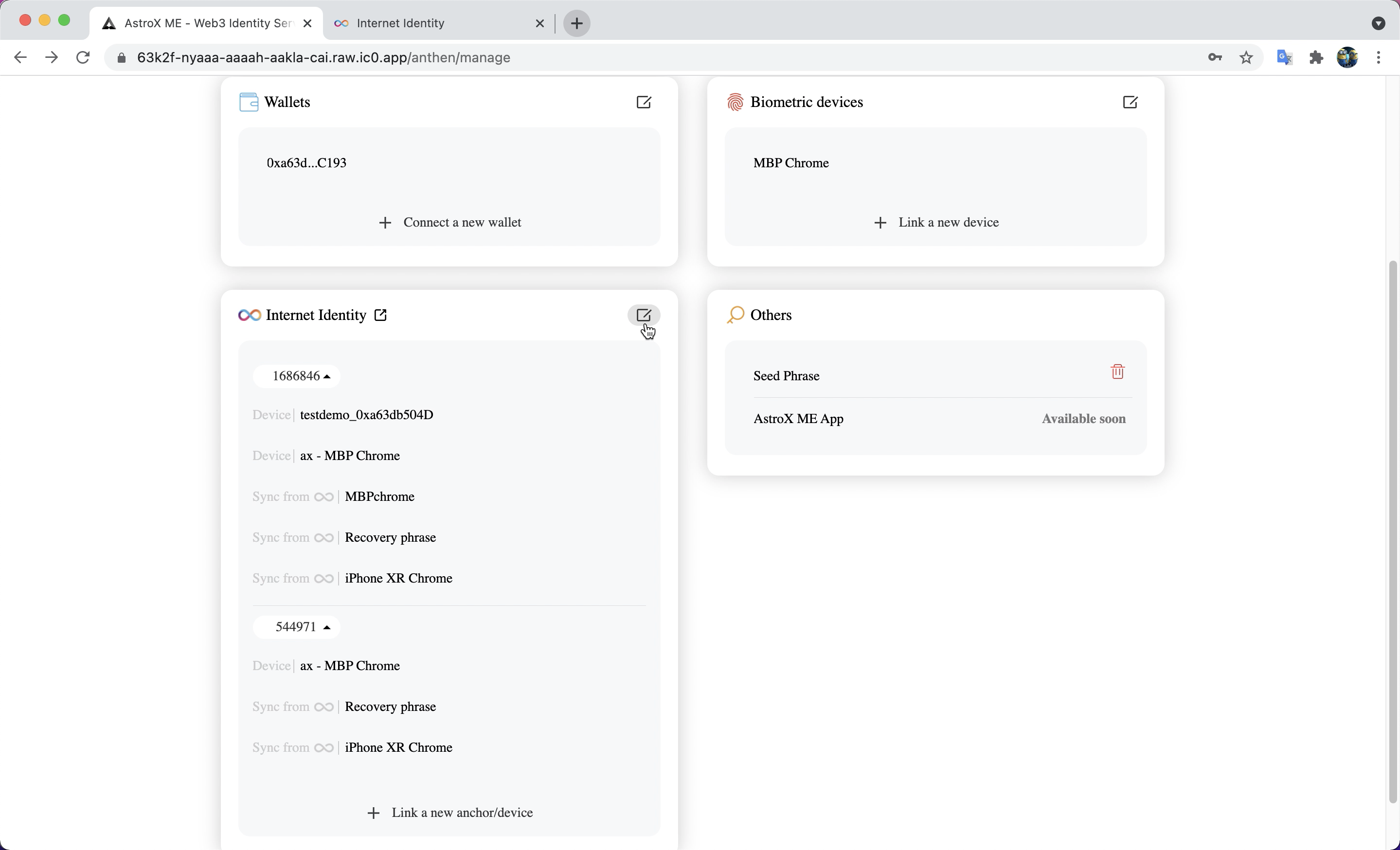
STEP 2: Click the 'Unlink' button.
Label 'Device' refers that this kind of device is added to your II anchor as a verified device. Label 'Sync from ♾️' refers that this kind of device is synchronized from your II anchor. If you unlink this device, it will be deleted from II anchor too.
Note: The most important is that the recovery phrase CAN NOT be deleted in the ME ID dashboard because you may not be able to log in to your II anchor anymore. The only way to delete it is log-in in to II anchor dashboard.
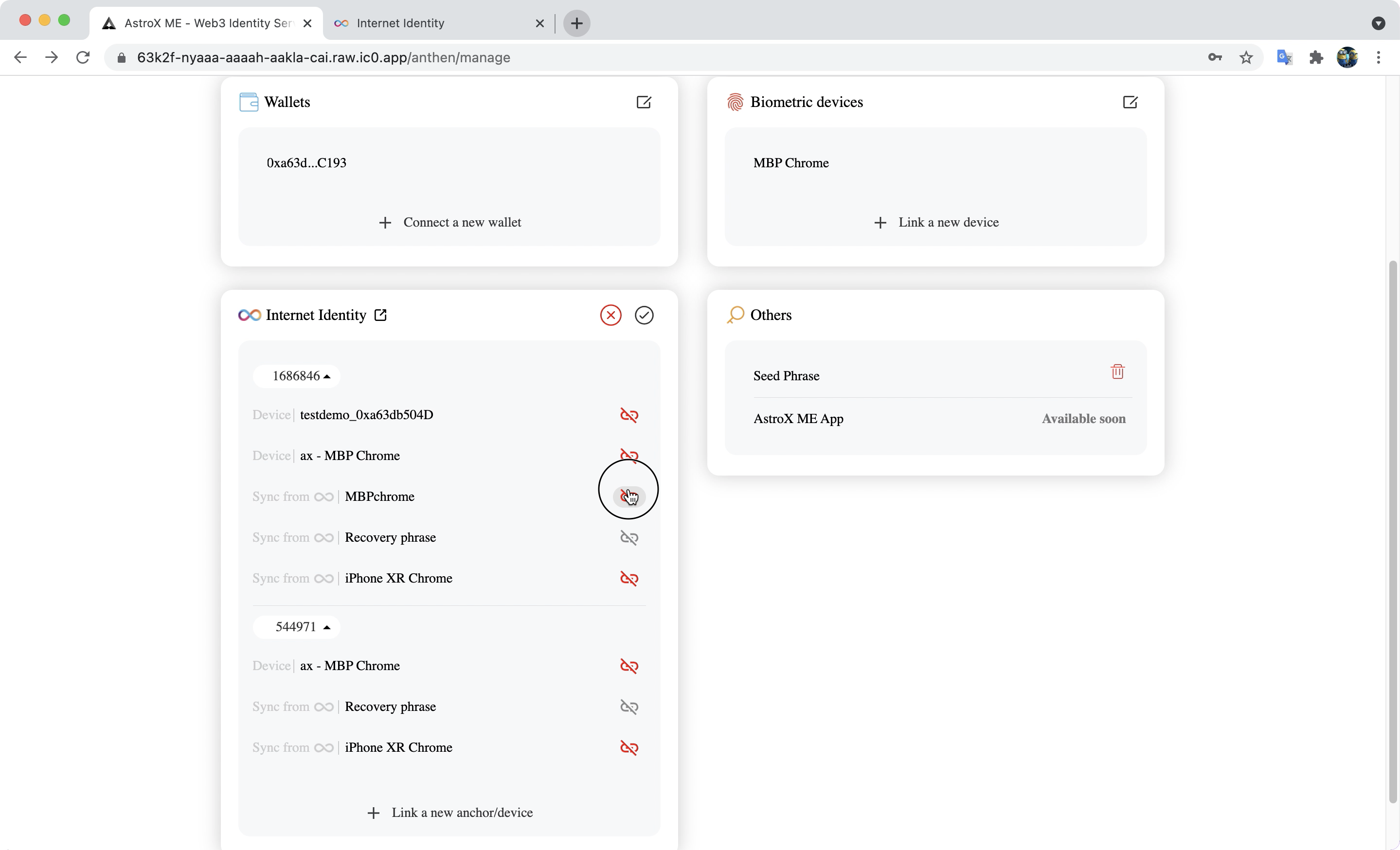
STEP 3: Enter the device name to confirm that you want to unlink this device.
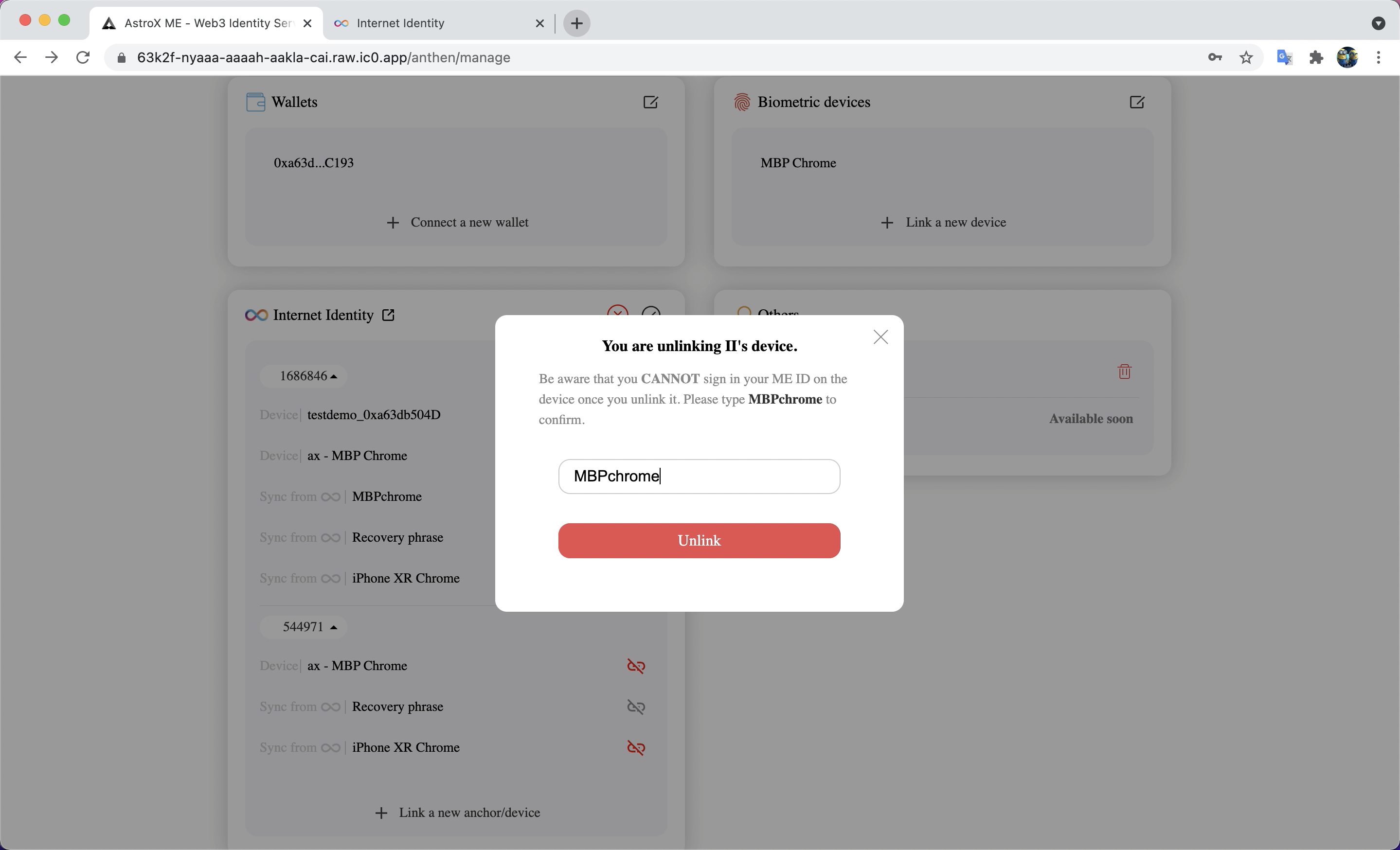
STEP 4: Device removed successfully.